Imagine not having to think about another password again.
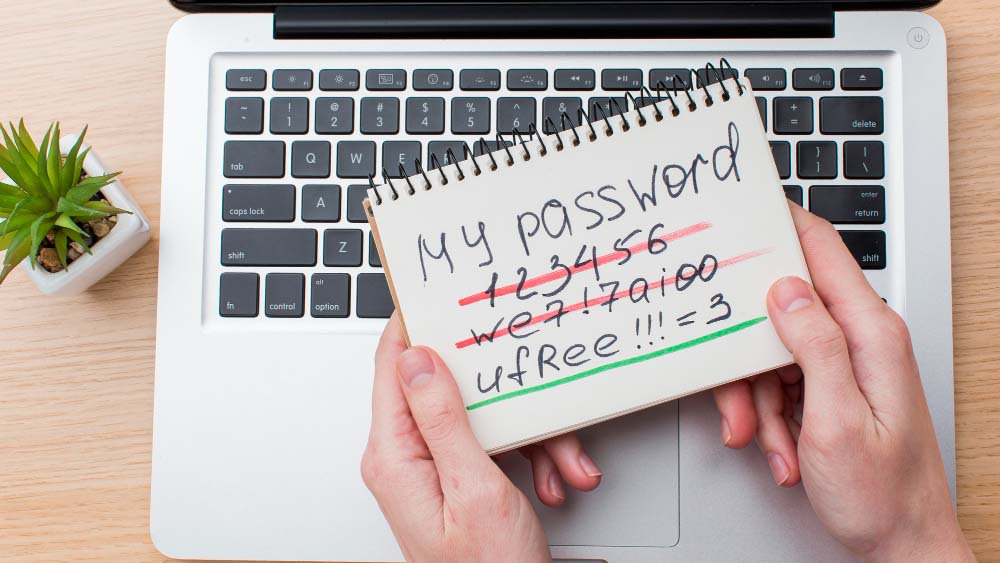
Don’t get any anymore “Forgot Password?” emails. Don’t have sticky notepads stuffed with login details. No more weak passwords such as “123456” and “Password@123.”
It sounds futuristic but it’s happening now.
The digital age is swiftly changing away from passwords that are traditional and towards a future without passwords made possible by biometrics and passkeys security keys for hardware, and advanced authentication systems. Technology giants such as Apple, Google, and Microsoft have all embraced technology that is password-less and made it more convenient than ever before for users to login safely without having to type the password.
What exactly is the purpose of replacing passwords? What is the reason they are becoming outdated? How will this affect how we secure the online identity of our users?
Let’s explore.
Why Passwords Are Becoming Obsolete
Passwords were created long ago, before the age of online was simpler platform. The average user manages a multitude of online accounts for banking, work health, shopping entertainment and social media.
This causes a variety of major issues.
1. People Reuse Passwords
Many people reuse the same password on multiple websites. In the event that one of their accounts is damaged as a result of a data breach, hackers may use those credentials to gain access to other accounts.
This method, also known as credential stuffing, is the reason to the loss of millions of accounts each year.
2. Passwords Are Easy to Steal
Cybercriminals employ a variety of techniques to steal passwords, such as:
- Phishing emails
- Fake login pages
- Malware
- Keyloggers
- Social engineering
- Data security breaches
- Brute-force attacks
Even passwords that are strong could be stolen if people do not realize they are entering them on sites that are fraudulent.
3. Password Fatigue
The creation of complicated, unique passwords for each account can be a challenge.
People often have trouble remembering:
- Uppercase letters
- Numbers
- Special characters
- Minimum length requirements
This can lead to bad security practices and frustration.
4. Password Management Costs Businesses
The companies spend millions of dollars annually on:
- Password resets
- Support for IT
- Security breach
- Identification verification
Based on numerous studies in the industry the request for password resets make up the majority of frequent IT helpdesk requests.
The Rise of Passwordless Authentication
Instead of asking
“What are your personal password?”
Modern authentication asks:
“Can you show that you’re actually you?”
Passwordless authentication confirms identity by with something you own or possess, or a combination of both.
Examples include:
- Fingerprints
- Face recognition
- Keys to security
- Mobile devices
- Passkeys
- PINs are securely stored on devices
The secret will never leave your device.
What Are Passkeys?
Passkeys are being considered as to be the next generation of security.
Instead of storing passwords on a server or other storage device, passkeys make use of public-key cryptography.
Here’s how it is done:
- Your device creates two cryptographic keys.
- One key remains safe within your gadget.
- The second key is also stored through the web site.
- During the login process, your device will prove that you own the key.
- Your face or fingerprint unlocks the secret key.
There is no transmission of passwords.
There is no password stored on the site.
Nothing valuable could be stolen from databases.
Why Passkeys Are More Secure
Passkeys remove a lot of common cyber-attacks.
Resistant to Phishing
Even if attackers design an unauthentic login page, passkeys will not authenticate on the incorrect website.
This makes phishing significantly less efficient.
No Password Database
Traditional websites keep password hashes.
If hackers infiltrate their database they may attempt to break the hashes.
With passkeys there is no password database to be stolen.
Protection Against Credential Stuffing
Because each credential is unique the website and cannot be reused, credentials that are used for multiple websites disappear.
A stolen password from one site can’t be used to unlock another.
Better User Experience
Logging in is often as easy as:
- Your phone is glancing at you
- Using Face ID
- The act of touching a fingerprint sensor
- Using Windows Hello
- Affirming the authenticity of another device
No typing is required.
Biometrics: Convenient but Not the Whole Story
Many believe that biometrics can are a way to replace passwords.
It’s not exactly.
Biometrics allow you to access cryptographic keys saved securely within your devices.
Examples include:
- Fingerprint recognition
- Recognition of facial features
- Iris scans
- Recognition of Palms
- Voice authentication
The biometric data typically does not leave your device.
It also confirms your identity as the genuine owner of the device.
Hardware Security Keys
For businesses and professionals who require maximal security, security hardware keys provide a second option for password-free security.
These tiny USB, NFC, or Bluetooth devices offer strong protection against phishing attacks and account takeover.
Benefits include:
- Extremely safe
- Resistant to attacks remotely
- Perfect for administrators
- Preferential for accounts with high risk
Many cybersecurity professionals rely on them to safeguard email as well as cloud platforms along with financial and other accounts.
Multi-Factor Authentication Isn’t Going Away
Passwordless does not necessarily mean single-factor.
Security is growing stronger with the use of layered authentication.
Future authentication may combine:
- Ownership of the device
- Biometrics
- Location
- Analysis of behavioural patterns
- Risk scoring
- Keys to security
This approach is adaptive and increases security without causing unnecessary friction for users.
AI Is Changing Authentication
Artificial intelligence is changing the way we verify digital identities.
Instead of only checking the passwords of users, AI evaluates:
- Typing patterns
- Mouse movement
- Device reputation
- Geographic place
- Login history
- Network characteristics
- Behavioral anomalies
If there is a suspicion it could be that additional testing is necessary.
This is also known as risk-based or adaptive authentication.
What Businesses Should Do Today
The passwords of organizations shouldn’t be left to in order to be obsolete.
Businesses that are forward-thinking are already planning.
Recommendations include:
Enable Passkey Support
Modern applications and websites should incorporate passkeys as well as the existing authentication methods.
Strengthen Multi-Factor Authentication
When passwords are required to be used, you should make sure you enable strong MFA to limit account hacking.
Train Employees
Human error remains among the greatest cybersecurity threats.
Learn to teach employees to identify:
- Phishing attempts
- Social engineering
- Fake login pages
- Scams involving accounts taken over
Use Password Managers
until passwords disappear completely. password managers assist users to create and save secure, unique credentials.
Regularly Review Security Policies
The technology of authentication is evolving rapidly.
Companies should regularly update their policies on identity management and security procedures.
What Consumers Can Do
Individuals can plan for a future without passwords by following a few easy steps:
- Passkeys can be enabled if they are you have them.
- Turn on multi-factor authentication.
- Keep devices updated.
- Make use of biometric authentication if it is available.
- Avoid password reuse.
- Save passwords in a secure account manager, until the accounts can support passwordless login.
Simple changes today can dramatically decrease the chance of account breach.
Challenges of a Passwordless Future
While passwordless authentication has many advantages, it is on the horizon.
The challenges include:
- Systems that are older and require passwords
- User education
- Device compatibility
- Recovery of accounts if devices are lost
- Enterprise migration costs
But, these issues are temporary as standards become more mature and the adoption rate increases.
The Future of Digital Identity
Authentication will continue to evolve, far beyond passwords.
New trends are:
- Decentralized digital identity
- Device-bound credentials
- Continuous authentication
- Biometrics based on behavior
- AI-powered fraud detection
- Passwordless enterprise environments
The aim is simple:
Secure your data and make login simpler.
The first time in a long time security and convenience are growing in tandem.
Final Thoughts
The age of passwords is about to come to an end, not immediately, but slowly and quickly. As cyber threats grow the traditional passwords will no longer offer the security that modern organizations and users require.
Passkeys, passwordless technology such as biometric authentication, keys for security hardware, and smart risk-based authentication are changing the face of the security of digital devices. They can reduce the need to memorize secrets, reduce the risk of phishing and theft of credentials and provide a more pleasant user experience.
If you’re a person who is responsible for protecting personal accounts or a company that is securing sensitive information Now is the best time to adopt the new paradigm. The adoption of passwordless solutions today can help you keep ahead of new threats and create a secure digital future.
Future of authentication doesn’t revolve around having more passwords to remember, it’s about verifying your identity in more intelligent secure methods.
Frequently Asked Questions (FAQ)
Are passwords actually disappearing?
Yes, a number of top technologies now offer password-free authentication via passkeys as well as biometrics. While passwords aren’t going away over night, they are slowly becoming obsolete by better security alternatives.
What’s the distinction between an encryption key and a password?
The word “password” refers to a code that you create and then remember. A passkey is a cryptographic key that are stored in a secure way within your phone, making it safer from phishing and data breach.
Are passwords more secure than passkeys?
Most of the time the majority of cases, yes. Passwords cannot be deciphered and reused across different websites or easily snatched through attack by phishing, making them much safer than passwords that are traditional.
Are passkeys compatible with an Internet connection?
The authentication process is based on cryptographic keys that are stored on your device. However, you’ll need an internet connection required to access the internet service you’re signing into.
Do password managers remain beneficial?
Yes. As long as all apps and websites allow authenticating with passwords, password manager will remain an excellent method to create and safely store unique passwords.